
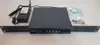
Cisco WLC2504 AIR-CT2504-35-K9 2500 Series Wireless Controller für 35 Cisco Access Points



Privatperson
Detailinformationen
- ZustandGebraucht
- ÜbergabeSelbstabholung, Versand

Beschreibung
Cisco WLC2504 AIR-CT2504-35-K9 2500 Series Wireless Controller für 35 Cisco Access Points
4x1GB LAN
2xPoE
Für bis zu 1000 Clients geeignet
Lizenziert für 35 Access Points (up to 75AP)
Mit original Netzteil, PWR-2504-AC=
Layer2 + Layer3
zweiter WLC für Redundante Ausfallsicherheit vorhanden (HA with Client SSO: No - only N+1 HA)
Max VLAN: 16
Datagram Transport Layer Security (DTLS): Yes
PWR-2504-AC=
Additional access point support can be added in increments of 1, 5, or 25.
Mit AIR-CT2500-AP_BUNDLE-K9-8-5-151-0.aes and AIR-CT2500-AP_BUNDLE-K9-8-5-151-0.aes Image für unterstützte APs.
Auch Image AIR-CT2500-K9-8-3-150-0.aes und AIR-CT2500-AP_BUNDLE-K9-8-3-150-0.aes für ältere AP's wird mitgeliefert.
-----------------------------------------------------------------------------------------------------------
8.3.150.0
15.3(3)JD17
15.3(3)JDA17
Lightweight APs: 1040, 1140, 1260, 1600, 1700, 1810 OEAP, 1810W, 1815i, 1830, 1850, 2600, 2700, 2800, 3500e, 3500i, 3500p, 3600e, 3600i, 3600p, 3702e, 3702i, 3702p, 3800, 600 OEAP, 700, 700W, AP802, AP803, ASA5506W-AP702
Outdoor and Industrial APs: 1532E, 1532I, 1552E, 1552H, 1552I, 1552C, 1552EU, 1552CU, 1552S, 1560, 1570, and IW3700
Modules: AIR-RM3010L-x-K9 and AIR-RM3000M
The Cisco 1040 Series, 1140 Series, and 1260 Series access points have feature parity with Cisco Wireless Release 8.0. Features introduced in Cisco Wireless Release 8.1 or later are not supported on these access points.
-----------------------------------------------------------------------------------------------------------
8.5.182.0
15.3(3)JF15
Lightweight APs: 1600, 1700, 1800i, 1810 OEAP, 1810W, 1815i, 1815m, 1815t, 1815w, 1830, 1850, 2600, 2700, 2800, 3500e, 3500i, 3500p, 3600e, 3600i, 3600p, 3702e, 3702i, 3702p, 3800, 700, 700W, AP802, AP803, Integrated Access Point on Cisco 1100 ISR, ASA5506W-AP702
Outdoor and Industrial APs: 1532E, 1532I, 1540, 1552E, 1552H, 1552I, 1552C, 1552EU, 1552CU, 1552S, 1560, 1570, and IW3700
Note The Cisco Aironet 1550 Series APs with 64-MB memory are not supported.
Modules: AIR-RM3010L-x-K9 and AIR-RM3000M
-----------------------------------------------------------------------------------------------------------
(Cisco Controller) show>running-conf
Notice: "show running-config" has been changed to be an alias to "show run-config".
Use "show run-config commands" to display the configuration commands.
Press Enter to continue or to abort...
System Inventory
NAME: "Chassis" , DESCR: "Cisco 2500 Series Wireless LAN Controller"
PID: AIR-CT2504-K9, VID: V05, SN: PSZ192XXXX
Burned-in MAC Address............................ 84:B5:17:6F:B5:E0
Maximum number of APs supported.................. 75
Press Enter to continue or to abort
System Information
Manufacturer's Name.............................. Cisco Systems Inc.
Product Name..................................... Cisco Controller
Product Version.................................. 8.5.151.0
Bootloader Version............................... 1.0.20
Field Recovery Image Version..................... 7.6.101.1
Firmware Version................................. PIC 20.0
OUI File Last Update Time........................ Sun Sep 07 10:44:07 IST 2014
Build Type....................................... DATA + WPS
System Name...................................... WLC2504-35
System Location..................................
System Contact...................................
System ObjectID.................................. 1.3.6.1.4.1.9.1.1279
IP Address....................................... 10.0.0.99
IPv6 Address..................................... ::
Last Reset....................................... Software reset
System Up Time................................... 0 days 0 hrs 13 mins 51 secs
System Timezone Location.........................
--More or (q)uit current module or to abort
System Stats Realtime Interval................... 5
System Stats Normal Interval..................... 180
Configured Country............................... AT - Austria
Operating Environment............................ Commercial (0 to 40 C)
Internal Temp Alarm Limits....................... 0 to 65 C
Internal Temperature............................. +29 C
External Temperature............................. +32 C
Fan Status....................................... 3200 rpm
State of 802.11b Network......................... Enabled
State of 802.11a Network......................... Enabled
Number of WLANs.................................. 1
Number of Active Clients......................... 0
OUI Classification Failure Count................. 0
Memory Current Usage............................. 38
Memory Average Usage............................. 38
CPU Current Usage................................ 0
CPU Average Usage................................ 0
Flash Type....................................... Compact Flash Card
--More or (q)uit current module or to abort
Flash Size....................................... 1073741824
Burned-in MAC Address............................ 84:B5:17:6F:B5:E0
Maximum number of APs supported.................. 75
System Nas-Id....................................
WLC MIC Certificate Types........................ SHA1/SHA2
Press Enter to continue or to abort
Backup Controller Configuration
AP primary Backup Controller ....................
AP secondary Backup Controller ..................
Press Enter to continue or to abort
System Time Information:
Time............................................. Fri Dec 20 16:17:27 2019
Timezone delta................................... 0:0
Timezone location................................
NTP Servers
NTP Version.................................. 3
NTP Polling Interval......................... 600
Index NTP Key Index NTP Server Status NTP Msg Auth Status
------- ---------------------------------------------------------------------
Press Enter to continue or to abort
Redundancy Information
Redundancy Mode ................................. SSO DISABLED
Local State...................................... ACTIVE
Peer State....................................... N/A
Unit............................................. Primary
Unit ID.......................................... 84:B5:17:6F:B5:E0
Redunadancy State................................ N/A
Mobility MAC..................................... 84:B5:17:6F:B5:E0
Redundancy Management IP Address................. 0.0.0.0
Peer Redundancy Management IP Address............ 0.0.0.0
Redundancy Port IP Address....................... 0.0.0.0
Peer Redundancy Port IP Address.................. 169.254.0.0
Press Enter to continue or to abort
AP Bundle Information
Primary Version : 8.5.182.0
AP Supplement Bundle : Installed
Primary AP Image Size Supported AP's
---------------- ---- ------------
ap1g1 13192 AP700
ap1g2 13660 AP1600
ap1g3 15380 AP1530
ap1g4 25772 AP1850/1810
ap1g5 22208 AP1815,1540
ap3g1 10168 AP3500
ap3g2 15380 AP2600,3600
ap3g3 39336 AP2800,3800,1560
ap801 8468 AP802
ap802 9968 AP802
c1550 10948 AP1550(128MB)
c1570 13052 AP1570
c3700 14372 AP1700,2700,3700
Press Enter to continue or to abort
Switch Configuration
802.3x Flow Control Mode......................... Disable
FIPS prerequisite features....................... Disabled
WLANCC prerequisite features..................... Disabled
UCAPL prerequisite features...................... Disabled
Last login information display................... Disabled
DTLS WLC MIC .................................... SHA2
secret obfuscation............................... Enabled
Strong Password Check Features
case-check........
............................ Enabled
consecutive-check............................. Enabled
default-check................................. Enabled
username-check................................ Enabled
position-check................
................ Disabled
case-digit-check.............................. Disabled
Min. Password length.......................... 3
Min. Upper case chars.....................
.... 0
Min. Lower case chars......................... 0
Min. Digits chars............................. 0
Min. Special chars............................ 0
Mgmt User
P
assword Lifetime [days]...................... 0
Password Lockout.............................. Disabled
Lockout Attempts.............................. 3
Lockout Timeout [mins]........................ 5
SNMPv3 User
Password Lifetime [days]...................... 0
Password Lockout.............................. Disabled
Lockout Attempts.............................. 3
Lockout Timeout [mins]........................ 5
Press Enter to continue or to abort
Network Information
RF-Network Name............................. Cisco
DNS Server IP............................... 0.0.0.0
Web Mode.................................... Enable
Secure Web Mode............................. Enable
Secure Web Mode Cipher-Option High.......... Disable
Secure Web Mode SSL Protocol................ Disable
Web CSRF check.............................. Enable
OCSP........................................ Disabled
OCSP responder URL..........................
Secure Shell (ssh).......................... Enable
Secure Shell (ssh) Cipher-Option High....... Disable
Telnet...................................... Disable
Ethernet Multicast Forwarding............... Disable
Ethernet Broadcast Forwarding............... Disable
--More or (q)uit current module or to abort
IPv4 AP Multicast/Broadcast Mode............ Multicast Address : 238.255.255.255
IPv6 AP Multicast/Broadcast Mode............ Multicast Address : ::
IGMP snooping............................... Disabled
IGMP timeout................................ 60 seconds
IGMP Query Interval......................... 20 seconds
MLD snooping................................ Disabled
MLD timeout................................. 60 seconds
MLD query interval.......................... 20 seconds
User Idle Timeout........................... 300 seconds
ARP Idle Timeout............................ 300 seconds
Cisco AP Default Master..................... Disable
AP Join Priority............................ Disable
Mgmt Via Wireless Interface................. Enable
Mgmt Via Dynamic Interface.................. Disable
Bridge MAC filter Config.................... Enable
Bridge Security Mode........................ EAP
Mesh Full Sector DFS........................ Enable
Mesh Backhaul RRM........................... Disable
AP Fallback ................................ Enable
AP EasyAdmin ............................... Disable
AP Virtual IP .............................. 0.0.0.0
Web Auth CMCC Support ...................... Disabled
Web Auth Redirect Ports .................... 80
--More or (q)uit current module or to abort
Web Auth Proxy Redirect ................... Disable
Web Auth Captive-Bypass .................. Disable
Web Auth Secure Web ....................... Enable
Web Auth Secure Web Cipher Option ......... Disable
Web Auth Secure Web Sslv3 ................. Disable
Web Auth Secure Redirection ............... Disable
Fast SSID Change ........................... Disabled
AP Discovery - NAT IP Only ................. Enabled
IP/MAC Addr Binding Check .................. Enabled
Link Local Bridging Status ................. Disabled
CCX-lite status ............................ Disable
oeap-600 dual-rlan-ports ................... Disable
oeap local-network ......................... Enable
oeap-600 Split Tunneling (Printers)......... Disable
WebPortal Online Client .................... 0
WebPortal NTF_LOGOUT Client ................ 0
mDNS snooping............................... Disabled
mDNS Query Interval......................... 15 minutes
Web Color Theme............................. Default
Capwap Prefer Mode.......................... IPv4
Network Profile............................. Disabled
Client ip conflict detection (DHCP) ........ Disabled
Mesh BH RRM ................................ Disable
--More or (q)uit current module or to abort
Mesh Aggressive DCA......................... Disable
Mesh Auto RF................................ Disable
HTTP Profiling Port......................... 80
HTTP-Proxy Ip Address....................... 0.0.0.0
HTTP-Proxy Port............................. 80
WGB Client Forced L2 Roam................... Disabled
Press Enter to continue or to abort
Port Summary
STP Admin Physical Physical Link Link
Pr Type Stat Mode Mode Status Status Trap POE
-- ------- ---- ------- ---------- ---------- ------ ------- -------
1 Normal Forw Enable Auto 1000 Full Up Enable N/A
2 Normal Disa Enable Auto Auto Down Enable N/A
3 Normal Disa Enable Auto Auto Down Enable Enable (Power Off)
4 Normal Disa Enable Auto Auto Down Enable Enable (Power Off)
Der Kaufvertrag über den Artikel kommt nicht mit willhaben, sondern mit dem Inserenten zustande. Der Inserent ist Verbraucher. Die im Verbraucherschutzrecht der Union verankerten Verbraucherrechte finden auf den Vertrag keine Anwendung. Im Falle der Nutzung von Paylivery umfassen die Leistungen von willhaben die Zurverfügungstellung des Käuferschutzes, die Zugänglichmachung zum Bezahlsystem von ADYEN sowie die Vermittlung des Paketversandes durch befugte Versanddienstleister.
Premium Services



Verkäuferdetails
Privatperson


Sicher kaufen mit willhaben-Käuferschutz
Ist der Artikel nicht wie beschrieben oder wurde nicht verschickt, bekommst du dein Geld zurück!
Mehr zum Käuferschutz | Wie funktioniert willhaben PayLivery?
! Anzeige melden
Die wichtigsten Tipps zum sicheren Kaufen:
Nutze, wenn möglich, unser sicheres Bezahl- und Versandservice PayLivery. Neben einer komfortablen Abwicklung bietet dir PayLivery auch Sendungsverfolgung und Käuferschutz.
Ansonsten empfehlen wir, sich von dem angebotenen Artikel vor Ort zu überzeugen, diesen persönlich entgegen zu nehmen und im Zuge dessen zu bezahlen.
Sollte dies nicht möglich sein, so raten wir dir zu einer möglichst sicheren Zahlungs-/Versandoption, wie etwa Postversand per Nachnahme.
Von Bargeldtransfers (z.B. Western Union oder MoneyGram), Scheck, Gutscheinen oder Geldversand via Post Abstand nehmen. Diese Services bieten dir keinen Schutz gegen Betrug im Internet.
Handelt es sich um einen hochpreisigen Artikel, raten wir davon ab, diesen per Vorkasse zu bezahlen, da du den Empfänger des Geldes in den meisten Fällen nicht kennst und dieser dich unter Umständen mit gefälschten Papieren um deine (An-)Zahlung betrügen könnte.